Jump to a section 5 sections
Understand the idea
Digital illustration combines drawing decisions with tools that let you edit, rearrange and test an image without starting again on fresh paper. A class might use a tablet and stylus, a graphics tablet connected to a computer or another supported setup. The equipment matters, but so does the kind of picture you want to make. A lesson in expressive drawing is different from one devoted to software controls. For a first course, look for a small project that introduces both: perhaps a simple object, character or scene built with a limited set of brushes and a few clearly organised layers.
Match the class to your starting point
A confident paper-based artist may mainly need help translating familiar decisions to a digital workspace. Someone new to drawing may want more time on shape, proportion and colour. Course titles do not always make this distinction clear, so read the actual lesson outline. Ask what a complete beginner is expected to know and whether the tutor gives individual feedback. A class that races through many features can leave little time to understand a single image. One small finished study with a clear sequence may be a stronger introduction than a tour of every menu.
Check the exact device and software
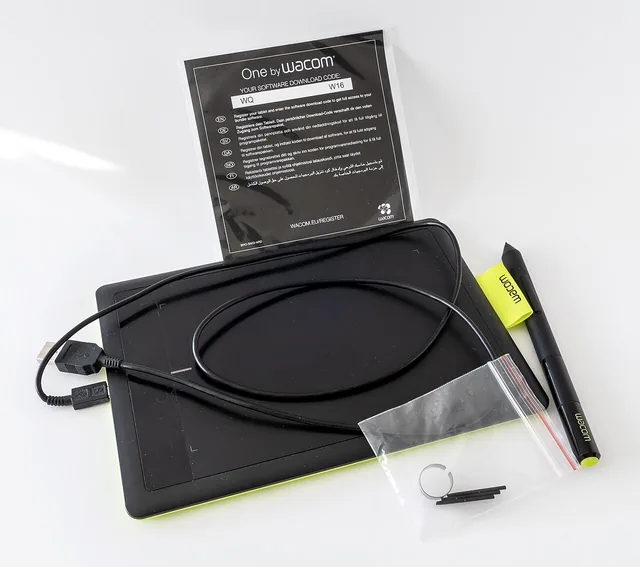
Before booking, confirm the application, supported operating system, stylus and any version requirements. Do not assume that a course advertised for tablets works on every tablet. Find out whether devices are supplied or whether you must bring your own with the application already installed. If a paid licence or subscription is needed, include that in the cost comparison. A borrowed device can be useful for a taster, but ask how you will take the file home. The course should explain its requirements plainly enough for you to check compatibility without buying equipment on a guess.
Use layers to make decisions visible
Layers allow parts of an illustration to remain separate, which can make a change less disruptive. You might keep a sketch apart from the colour or move a background element without redrawing the subject. A useful lesson explains why it separates particular elements rather than simply telling you to add another layer at every step. Naming a few layers and keeping their order understandable saves confusion later. Too many unexplained layers can become as difficult to manage as too few. Ask the tutor to show a simple correction so you understand how the structure helps.
Keep brushes and effects under control
It is easy to spend a whole session trying brush presets without developing a picture. A small selection lets you notice how pressure, edge and scale affect the marks. The same is true of colour: a limited palette can make the relationship between light and dark easier to see. Choose classes that discuss the image as well as the controls. If you use reference photographs, bring your own or material you have permission to use for the intended purpose. A lesson can teach observation without requiring you to imitate another artist's finished work.
Finish with an editable file and a usable export
Ask how to save the working document, make a backup and export a version suited to sharing or printing. These are different tasks: a flattened image may look correct but no longer contain the separate layers you want to revise. A print also introduces size and resolution decisions that a small screen can hide. Before leaving, open the saved file and check that you can find it again. For the next session, choose a project that reuses the basic tools you have learned, then add one new technique with a clear purpose.
You might also like to explore
Art classes
Art classes and studio sessions can offer guided skills, a shared workspace or support for developing your own work.
Graphic designer
Graphic designers can develop identities, layouts or individual assets, with strategy and production sometimes separate.
Computer store
Phone and computer shops may focus on sales, repairs, setup or business support.
Open a guide to see what it involves and find a more specific search.
Sources and further reading
Further reading for the subjects discussed in this guide. Provider arrangements and local availability should be checked separately.